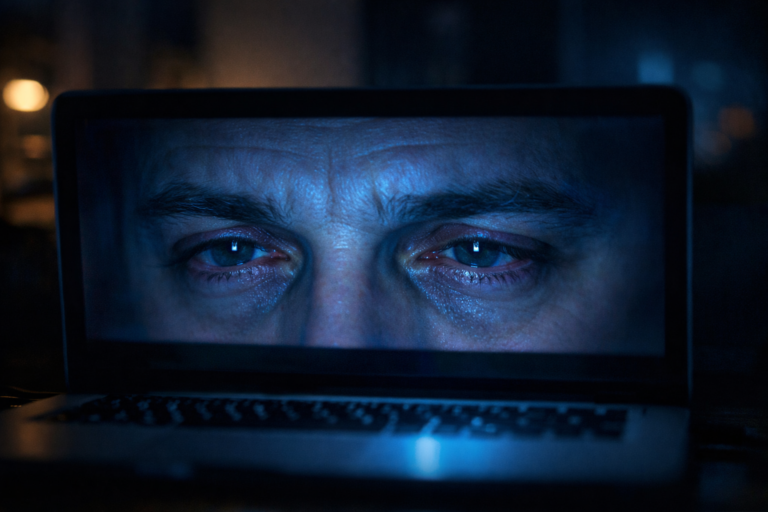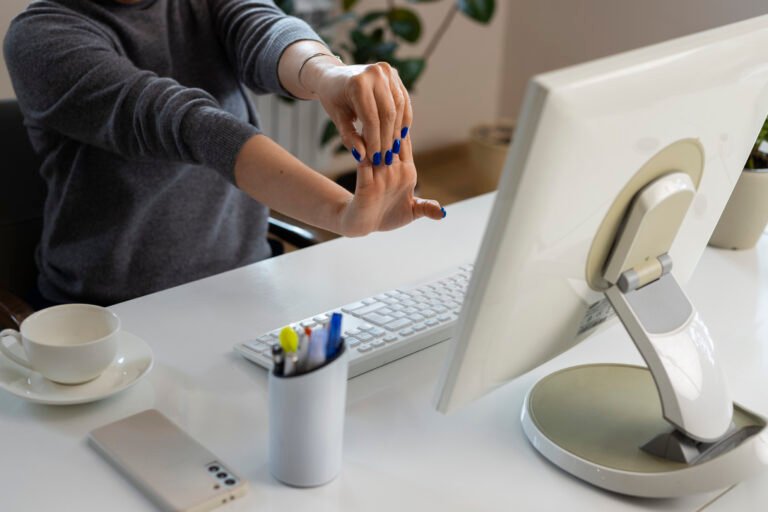
Remote working has transformed the way we use our eyes. Spending eight or more hours a day staring at a screen — often without the ergonomic support of a properly equipped office — puts considerable strain on your visual system and can have a real, measurable impact on your performance at work.
Visual ergonomics is the practice of optimising your working environment to protect eye health and maintain comfortable, efficient vision throughout long screen sessions.
What’s more, applying these principles at home requires no significant investment — in many cases, a few simple adjustments to your monitor position, lighting, and eyewear choice can make a remarkable difference to how you feel by the end of the working day.
In this guide, you’ll find practical, evidence-informed advice on how to reduce digital eye strain, configure your home workspace for visual comfort, and choose the right eyewear to support your eyes throughout the working day.
Computer Vision Syndrome: why remote workers are most at risk
Computer Vision Syndrome (CVS) — also known as digital eye strain — is a collection of visual and ocular symptoms caused by prolonged use of digital devices. According to recent data, CVS now affects around 69% of people who work on screens, with remote workers experiencing notably more severe symptoms than their office-based counterparts.
The reason home workers are disproportionately affected comes down to environment. Unlike offices, most home setups lack purpose-designed lighting, adjustable furniture, and the natural prompts — such as moving between meeting rooms — that encourage short breaks from the screen. As a result, remote workers tend to spend longer uninterrupted periods in front of their devices, worsening both the frequency and intensity of CVS symptoms.
The most common symptoms include:
- tired, sore or dry eyes by mid-afternoon
- blurred or double vision after extended screen sessions
- persistent headaches, particularly behind the eyes or at the temples
- difficulty refocusing between near and distant objects
- neck and shoulder tension linked to screen posture
- a gritty or burning sensation in the eyes at the end of the day
The encouraging news, however, is that the vast majority of these symptoms are preventable — and often reversible — through a combination of environmental adjustments and the right optical support.
Eye strain and work performance: a direct connection
Visual fatigue is not simply a matter of comfort — it has a demonstrable effect on workplace productivity. In fact, research indicates that workers experiencing digital eye strain are more likely to make errors on detail-focused tasks, struggle to maintain concentration in the afternoon, and feel mentally exhausted well before the end of their shift.
For those working in roles that demand close reading, data analysis, design or coding, protecting your vision is therefore not just a health consideration — it’s a performance strategy. Consequently, even modest improvements to your workspace setup and eyewear can translate into meaningful gains in both output and wellbeing over weeks and months of consistent remote work.
Practical tip: Set a recurring reminder every 20 minutes to apply the 20-20-20 rule: look at a point roughly 6 metres away for at least 20 seconds. It’s one of the simplest and most effective habits for reducing eye muscle fatigue during long days working from home.
How to set up your home workstation for better eye health
A visually ergonomic workstation does not require costly equipment. On the contrary, a few targeted adjustments to your existing setup can significantly reduce ocular effort across the working day.
Screen distance and positioning
Your monitor should sit approximately 50–70 cm from your eyes, with the top edge of the screen slightly below your natural line of sight. This encourages a gentle downward gaze, which reduces the degree of eyelid opening and, in turn, slows tear evaporation — one of the primary causes of dry eyes in those who work long hours at a computer.
Screen brightness and contrast
Your screen brightness should broadly match the ambient light in your workspace. A display that is significantly brighter than its surroundings forces the eyes into a constant state of adaptation, which compounds fatigue over time. Accordingly, reduce your screen brightness and contrast during afternoon and evening work sessions, and activate the blue light reduction mode available in the display settings of most devices.
Ambient lighting
Natural or artificial light should come from the side relative to your screen — never directly in front or behind. Glare on the monitor is one of the most common triggers of eye strain for home workers. Adjustable blinds or diffusing window film are effective and affordable solutions for managing natural light without needing to work in the dark.
Colour temperature of your lighting
Cool white light (above 5000K) promotes alertness during morning working hours. In contrast, switching to warmer light (below 3000K) in the late afternoon and evening helps the body prepare naturally for rest — particularly relevant for those who work into the evening and want to protect their sleep quality.
Computer glasses: what are they and do you need them?
Not all glasses are suited to screen work. In fact, standard prescription lenses — whether single vision or varifocal — are typically optimised for either reading distance or distance vision, not the intermediate focal distance of a monitor screen. This mismatch can cause the eyes to work harder than necessary, particularly during long sessions.
Office varifocal lenses for those who already wear glasses
Office varifocal lenses — sometimes called occupational lenses or computer varifocals — are designed with a wider intermediate zone than standard varifocals, making them specifically suited to the working distances typical of a desk setup. They allow comfortable vision across the monitor, keyboard and nearby documents without the postural strain of tilting your head to find the right focal zone in a standard progressive lens.
Single vision lenses with blue light filter for non-prescription wearers
For those without a prescription who simply want to reduce blue light exposure during screen work, single vision lenses with a blue light filter offer a straightforward and effective solution. Leading eyewear brands now pair these lenses with a wide range of iconic frames, meaning there’s no need to compromise on style for the sake of eye protection.
The best computer glasses for remote workers in the UK
Choosing the right glasses for screen work means finding the right balance between lens performance, filter quality and frame comfort across extended periods of wear. Below are some of the most highly regarded options currently available for those working from home in the UK.
| Optical solution | Lens type | Blue light filter | Best for | Screen comfort |
|---|---|---|---|---|
| Ray-Ban® Blue-Violet Filter | Single vision or varifocal | ✔ Integrated | Intensive remote working | ⭐⭐⭐⭐⭐ |
| Ray-Ban® Prescription Eyeglasses | Single vision or varifocal | ✔ Available | Daily use and work | ⭐⭐⭐⭐⭐ |
| Vision Express Blue Light Lenses | Anti-reflection with blue filter | ✔ Surface coating | Professional screen use | ⭐⭐⭐⭐ |
| Vision Express Anti-Reflection Plus Blue | Enhanced anti-reflection lens | ✔ Anti-static + blue filter | Multi-device users | ⭐⭐⭐⭐ |
| Non-prescription + blue filter | Zero power with filter | ✔ Available | Those without a prescription | ⭐⭐⭐⭐ |
Ray-Ban® Blue-Violet Filter
Type: Single vision or varifocal
Filter: ✔ Integrated
Screen comfort: ⭐⭐⭐⭐⭐
Ray-Ban® Prescription Eyeglasses
Type: Single vision or varifocal
Filter: ✔ Available
Screen comfort: ⭐⭐⭐⭐⭐
Vision Express Blue Light Lenses
Type: Anti-reflection with blue filter
Filter: ✔ Surface coating
Screen comfort: ⭐⭐⭐⭐
Vision Express Anti-Reflection Plus Blue
Type: Enhanced anti-reflection
Filter: ✔ Anti-static + blue filter
Screen comfort: ⭐⭐⭐⭐
Non-prescription + blue filter
Type: Zero power with filter
Filter: ✔ Available
Screen comfort: ⭐⭐⭐⭐
Eye exercises to do during your working day
Looking after your eyes during the working day doesn’t require long breaks or specialist equipment. On the contrary, a handful of simple exercises, distributed throughout the day, can meaningfully reduce ocular fatigue and support long-term visual health.
Palming
Rub your palms together briskly until warm, then cup them gently over your closed eyes without applying pressure. Hold for 30–60 seconds, breathing slowly. This exercise releases tension in the ocular muscles and gives your eyes a brief, restorative break from screen contrast.
Eye rotation
Move your eyes slowly in a full circle, first clockwise, then anticlockwise, for 5–10 repetitions. This maintains the mobility of the extraocular muscles and reduces the stiffness that builds up when you fix your gaze on a screen in the same direction for extended periods.
Alternating focus
Shift your focus between a nearby object and a distant point — such as a tree or building seen through a window — for 10–15 repetitions. This exercises the ciliary muscle responsible for accommodation and helps prevent the accommodative rigidity that commonly affects those who spend too many consecutive hours focused on a screen.
Home office eye health checklist
- Monitor positioned 50–70 cm from eyes, top edge below natural eye level
- Screen brightness matched to ambient light levels
- Light source positioned to the side — no direct glare on the screen
- Blue light reduction mode active during afternoon and evening sessions
- 20-20-20 rule applied every 20 minutes throughout the day
- Glasses with blue light filter or screen-optimised lenses
- Lubricating eye drops (preservative-free) available for intensive days
- Eye test booked every 12–18 months with a registered optometrist
Frequently asked questions about visual ergonomics and remote working
What is Computer Vision Syndrome?
Computer Vision Syndrome (CVS), also known as digital eye strain, is a group of visual and ocular symptoms caused by prolonged use of digital screens. It typically presents as dry or sore eyes, blurred vision, headaches, and neck tension. It is particularly prevalent among those who spend more than four hours a day at a screen.
How far should my monitor be from my eyes?
The ideal distance is 50–70 cm, with the top edge of the screen slightly below eye level. Screens that are too close increase accommodative strain, while screens that are too far away can lead to poor posture and neck tension as you lean in to read.
How often should I take screen breaks?
Vision specialists recommend the 20-20-20 rule: every 20 minutes of screen use, focus on a point approximately six metres away for 20 seconds. In addition, stepping away from your desk for a few minutes every hour is a highly effective supplementary habit for long-term visual wellbeing.
Are varifocals suitable for working at a computer?
Standard varifocals are not always ideal for screen work, as the intermediate zone — which covers computer viewing distance — is often narrower than optimal. However, office varifocals (also called occupational or computer varifocals) are specifically designed with a wider intermediate zone, making them a far more comfortable option for those who spend the majority of their working day at a desk.
Is dry eye related to screen use?
Yes. People who fix their gaze on a screen for extended periods tend to blink significantly less frequently than normal, reducing the distribution of the tear film across the eye’s surface. The result is dry eye — one of the most common symptoms of digital eye strain. Preservative-free lubricating eye drops can offer relief during particularly intensive screen days.
How often should I have an eye test if I work on screens all day?
For those who work intensively at a screen, an eye test every 12–18 months is advisable. An out-of-date prescription can amplify the symptoms of digital eye strain considerably. It’s also worth noting that under UK health and safety legislation, employers are required to offer eye tests to employees who regularly use display screen equipment.
Does working in a dark room in front of a screen damage your eyes?
Working in a dark room with a bright screen increases the contrast between the display and its surroundings, placing the eyes under constant adaptive strain. While this does not cause permanent damage, it significantly worsens eye fatigue. Maintaining adequate ambient lighting is consequently one of the simplest and most effective ways to protect your eyes while working from home.
Can I use eye drops while working at a screen?
Yes. Preservative-free lubricating eye drops are safe for regular use during the working day and provide effective relief from the dry eyes associated with prolonged screen use. Single-use preservative-free drops are preferable, as they reduce the risk of irritation that can build up with repeated use of preserved formulations.
What is the difference between glasses with an integrated blue light filter and those with a surface treatment?
A surface treatment reflects blue light off the lens, whereas an integrated filter absorbs it directly within the lens material. Integrated technology tends to produce fewer distracting reflections on the front of the lens and offers a more aesthetically clean result, as well as more consistent protection throughout the day.
Are blue light glasses covered by my employer in the UK?
Under the Health and Safety (Display Screen Equipment) Regulations 1992, UK employers are legally required to offer eye tests to employees who regularly use display screen equipment and to cover the cost of basic corrective eyewear if a test confirms it is needed specifically for screen work. It is worth checking with your HR department whether this entitlement applies to you — particularly if you are working remotely full-time.